Pressure Sensitivity
Allows for nuanced drawing and writing strokes based on actual pressure.


Why customers love it
Elevate your iPad experience with a stylus engineered for nuanced drawing and writing, bringing a fluid, responsive feel to every note.
Allows for nuanced drawing and writing strokes based on actual pressure.
Palm rejection ensures a natural, comfortable experience during long sessions.
Works flawlessly with a wide variety of note-taking and creative applications.
Delivers a smooth, fluid line that mimics traditional pen writing.
Key Features
What makes this stylus exceptional.
Why Choose Our Stylus
See the advantage of true sensitivity.
If your order arrives damaged, defective, or not as described, contact us within 14 days and we will make it right with a replacement or refund.
Answers to common stylus inquiries.
This stylus is designed for seamless integration with most modern iPad applications. Please check the specific requirements of your chosen app.
The stylus offers high sensitivity, allowing for subtle variations in pressure to translate into nuanced lines and drawings.
Yes, the stylus is constructed with durable plastic to ensure reliable and long-lasting performance.
No, the color options (Black or White) are purely aesthetic and do not impact the stylus's writing performance.
You can request a return within 14 days after delivery. Standard returns have a €4.00 EUR (approximately $4.66 USD) flat-rate return shipping fee, deducted from your refund. Return shipping is free for items that arrived damaged, defective, or incorrect. Items should be unused and in original packaging where possible. Contact us before sending anything back.
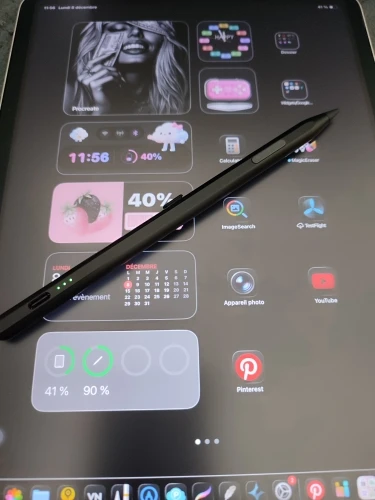
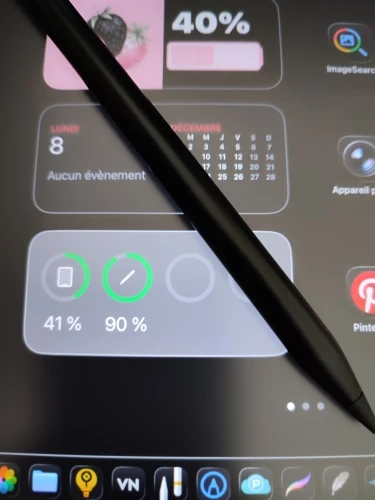
I loved the first purchase so much that I bought several more because I can't go back. I really appreciate the multitasking shortcuts because I often fail to do it right the first time when swiping to choose another task due to my screen protector, I suppose. 🤔 . For its price, it's a gift. The Apple Pencil doesn't do any better; smooth writing, the texture of the tip is exceptional, and for writing, no need for paper-like paper. I have a smooth matte film, yet when writing, it makes noise like on paper. I've tested other types of short metal tips which work well too as replacements just in case. . . In Procreate, it works very well to set the (keyboard in English) for bottom click return, top click pencil/eraser, soft top click to multitask, and bottom double click to capture. 😊 , hoping that this could help you 😉 ❤️ PS: displays battery level 👍 during use and charging 👏 💋
It feels like very good quality, I hope the battery lasts as long as the advertisement says.
Top
Works with ipad pro (m5). pencil battery can be monitored by ipados when paired over bluetooth. comes with one nib, but looks like it is the same interface as apple branded pencil, so spare nibs should be easy to procure.
It works well
Super as usual, I've ordered the same ones several times and never get tired of them because they're so good, every time I order this style it's like I'm buying my bread every day 😂😂😂😍😍🥖
Great! works perfectly with the new ipad air. looks great too
Product as advertised, I recommend!
Thank you very much!
Great pen! That's really all they say about her. No delay, works quickly when turned on, and has the option to connect via Bluetooth to use shortcuts. These shortcuts work perfectly. When connected via Bluetooth, the battery percentage of the device appears on the tablet screen.
Excellent pen! I am very satisfied and consider it to be a great value for money.
WORKS PERFECTLY
Super as always ❤️❤️❤️❤️❤️❤️❤️❤️❤️❤️❤️❤️❤️❤️❤️❤️❤️❤️❤️❤️❤️❤️❤️❤️❤️❤️❤️❤️❤️❤️❤️❤️❤️❤️❤️❤️❤️❤️❤️❤️❤️❤️❤️❤️❤️❤️❤️❤️❤️❤️❤️❤️❤️❤️❤️❤️❤️❤️❤️❤️❤️❤️❤️❤️❤️❤️❤️❤️❤️❤️❤️❤️❤️❤️❤️❤️❤️❤️❤️❤️❤️❤️❤️❤️❤️❤️❤️❤️❤️❤️❤️❤️❤️❤️❤️❤️❤️❤️❤️❤️❤️❤️❤️❤️❤️❤️❤️❤️❤️❤️❤️❤️❤️❤️❤️❤️❤️❤️❤️❤️❤️❤️❤️❤️❤️❤️❤
Works very well and responsive
Initially, it's very excellent 👌🏻
Perfect, thank you.
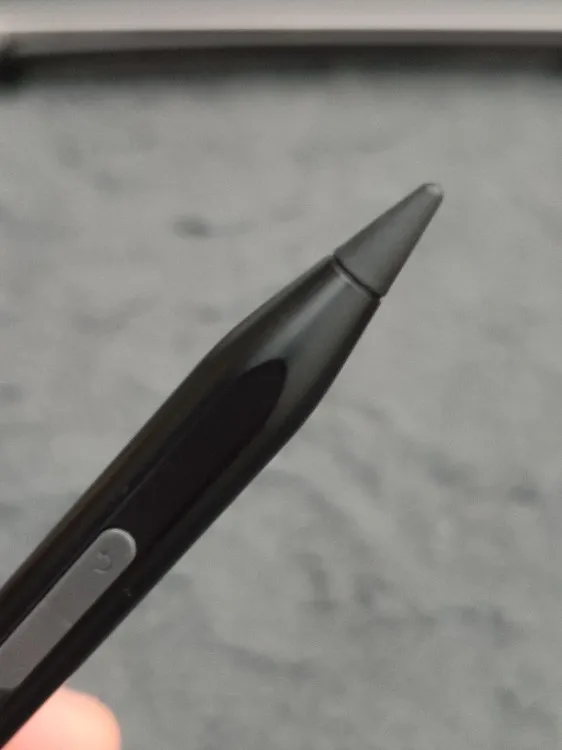
There are two drawbacks. In the case of the white version, there is a coating boundary between the head and body parts. When connected via Bluetooth, the iPad recognizes it as a keyboard, so a virtual keyboard does not appear. Other features such as the matte finish and weight distribution are all good.
iPad 11 A16 works well.
Order received in 6 days, well protected and in good condition, works perfectly on iPad 11 2025.
It's cheap and can be used just as well as a Bluetooth device.
The A16 iPad works well.
Works
Excellent
Really good pencil, what I like most are the shortcuts because I often struggle to swipe up to access the homepage. The pencil tip feels like writing on paper on my tablet, works directly without Bluetooth for writing and has an eraser option in certain apps like Procreate. There's an eraser option, pencil return, and return to each stroke. Or if you want to use shortcuts, you need to turn on Bluetooth, it's up to you. The best pencil of 2025 for its price, it's really worth it. Fast delivery with tracking, thank you seller.